Feature Guide

Everything you need to get started with MyVoice-TTS

Before You Start

Important information for new users

First-Time Startup

The first time you generate speech, MyVoice will automatically download the Qwen3-TTS models. This is a one-time download of approximately 2-3GB and may take several minutes depending on your internet connection.

Subsequent generations will be instant as models are cached locally.

🔒

Installation Location

If you install MyVoice to the Program Files directory, you may need to run the application as Administrator to allow proper file access and model storage.

We recommend installing to a user-accessible location like Documents or a custom folder to avoid permission issues.

Quick Start Overview

Get familiar with the interface at a glance

MyVoice Quick Start Guide

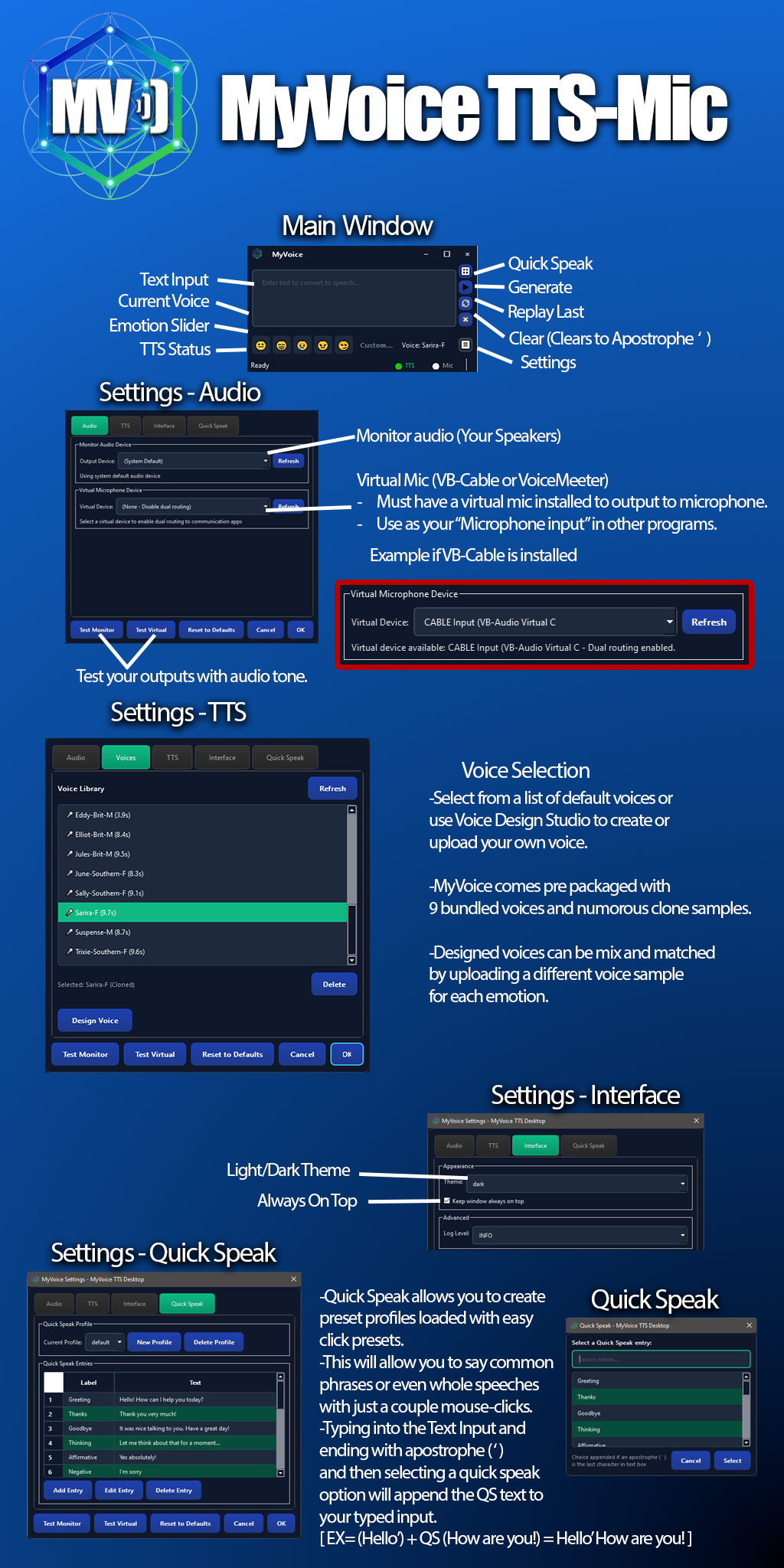
Main Window

Your command center for text-to-speech
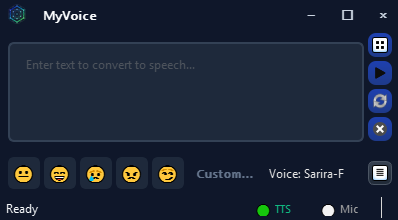
MyVoice Main Window

Core Controls

  • Text Input: Type or paste the text you want to speak
  • Voice Selector: Choose from bundled, designed, or cloned voices
  • Emotion Presets: Quick buttons for Neutral, Happy, Sad, Angry, Flirtatious (F1-F5)
  • Generate: Create speech from your text
  • Replay: Replay the last generated audio
  • Quick Speak: Access saved phrases
  • Clear: Clears text (or appends apostrophe ' for Quick Speak)
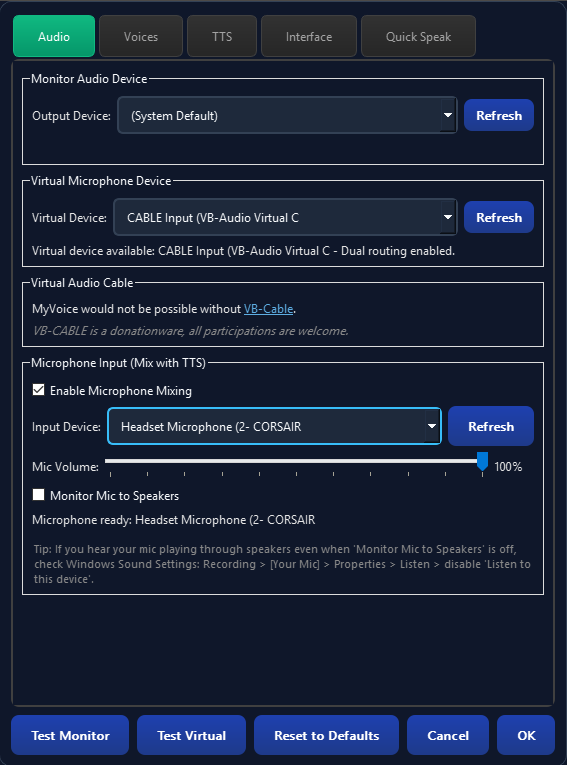
Settings: Audio

Configure your audio devices and virtual microphone

Audio Settings

Audio Configuration

  • Monitor Device: Your speakers/headphones for hearing playback
  • Virtual Device: The virtual microphone for routing to other apps
  • Dual Routing: When enabled, audio plays through both devices simultaneously
VB-Cable Required: To use MyVoice with Discord, Zoom, or other voice apps, install VB-Cable and select "CABLE Input (VB-Audio Virtual C)" as your Virtual Device.

Settings: Voices

Manage your voice library

Voice Settings

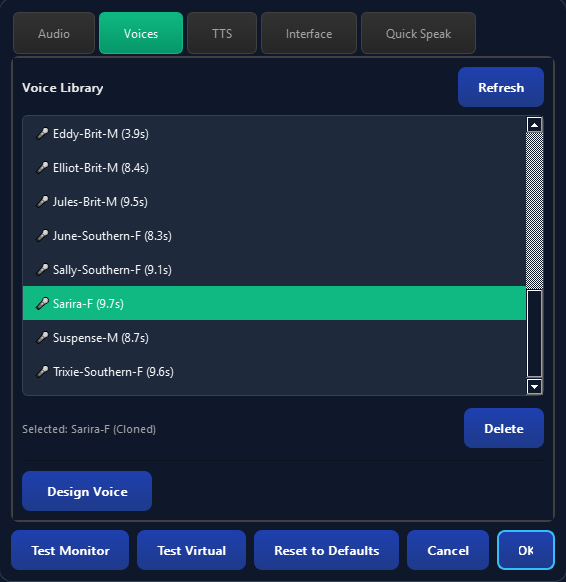
Voice Library

  • Bundled Voices: 9 pre-trained voices with full emotion support
  • Designed Voices: Custom voices created from text descriptions
  • Cloned Voices: Voices created from audio samples

Select the Voices tab in Settings and click Design Voice to open Voice Design Studio, or use Delete to remove custom voices.

Settings: TTS

Fine-tune text-to-speech behavior

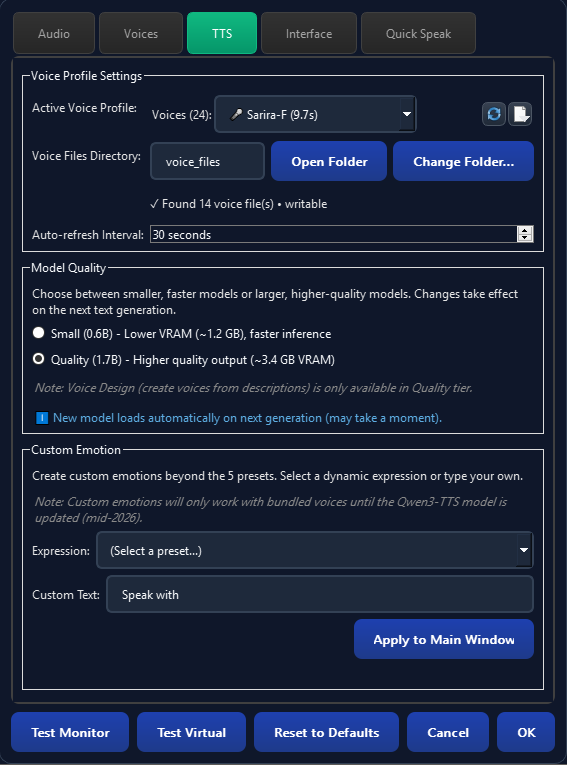
TTS Settings

TTS Parameters

Advanced settings for controlling speech generation quality and performance. Includes model size switching to balance between quality and speed. Most users can leave these at default values.

Settings: Interface

Customize the application appearance

Interface Settings

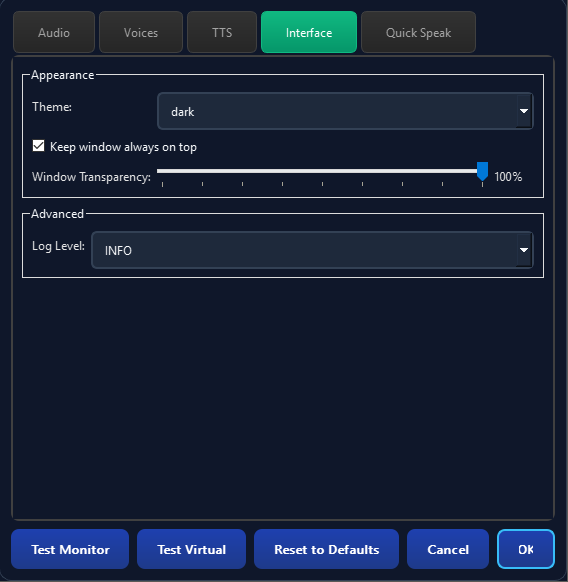
Interface Options

  • Light/Dark Theme: Choose your preferred color scheme
  • Always on Top: Keep MyVoice visible above other windows
  • Window Transparency: Adjust window opacity for overlay use
  • Log Level: Control diagnostic logging detail

Settings: Quick Speak

Save phrases for instant playback

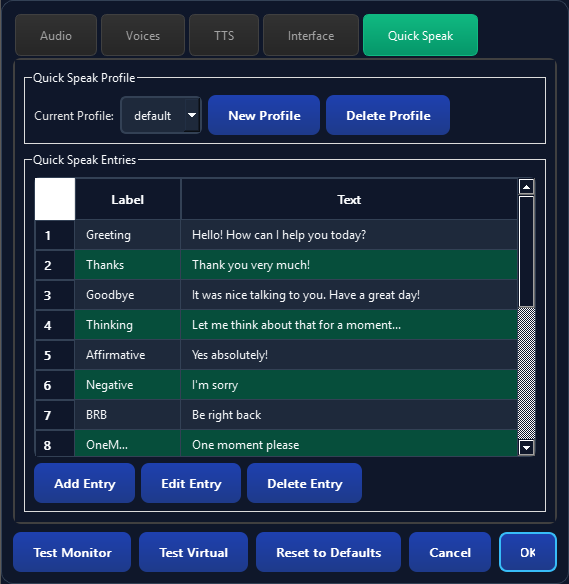
Quick Speak Settings

Quick Speak Profiles

  • Profiles: Create multiple phrase collections for different contexts
  • Entries: Add common phrases with labels for easy identification
  • Append Mode: End text with apostrophe (') then select Quick Speak to append the phrase
Example: Type "Hello" and end with apostrophe, then select "How are you?" from Quick Speak. Result: "Hello How are you?"

Voice Design Studio

Create custom voices from descriptions or audio samples

1

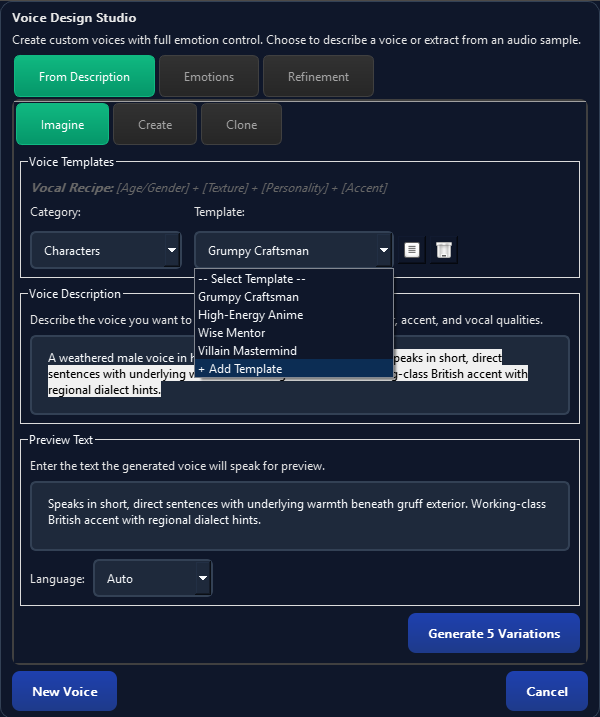
Imagine Your Voice

Voice Design - Imagine Step

Describe the voice you want to create using natural language. Be specific about characteristics like age, gender, tone, and personality.

Example descriptions:
  • "A warm, friendly female voice in her 30s with a slight British accent"
  • "A deep, authoritative male narrator voice"
  • "A cheerful, energetic young voice perfect for gaming"
2

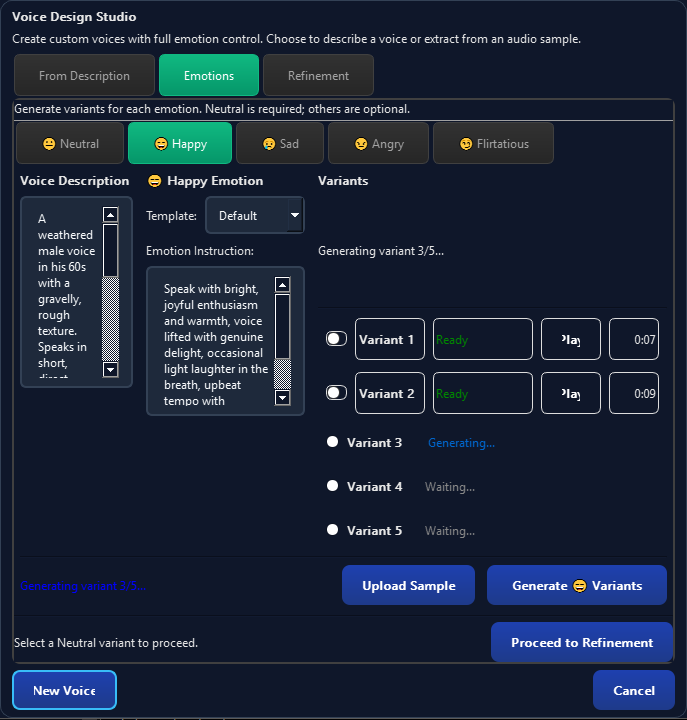
Generate Emotion Samples

Voice Design - Emotions Step

Generate sample audio for each emotion preset. Listen to how your voice sounds with different emotional expressions.

You can also upload custom audio samples if you have specific reference recordings.

3

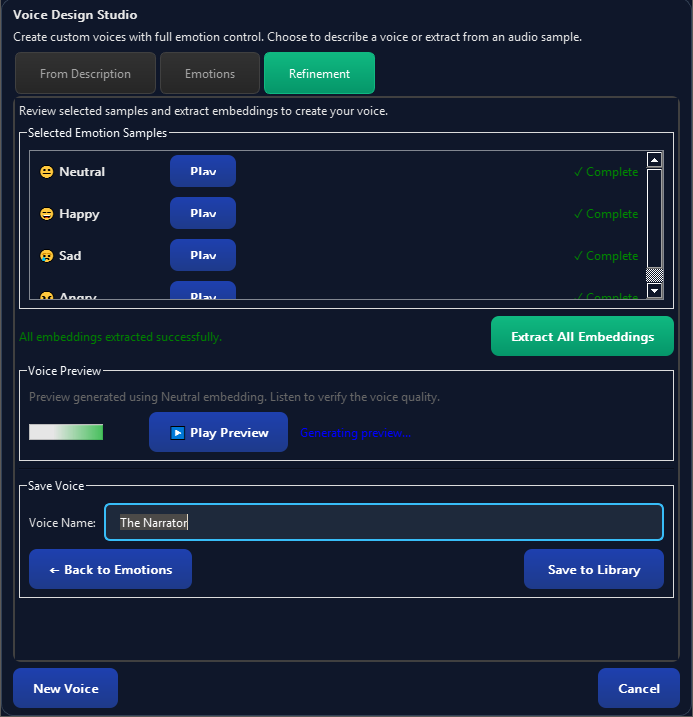
Refine Your Voice

Voice Design - Refinement Step

Fine-tune your voice with additional adjustments. Preview different variations and save your favorite.

Once satisfied, your custom voice will be available in the voice selector for all future speech generation.

Ready to Get Started?

Download MyVoice and start creating expressive speech today.

Download MyVoice